
Software Skills Civil Engineers Should Learn Based on Career Path
- Anjali Regmi
- Feb 14
- 3 min read

Introduction
In today’s construction and infrastructure industry, software skills are no longer optional for civil engineers—they are essential. However, one of the biggest mistakes students and freshers make is learning random software without understanding its relevance to their career path. Many learn AutoCAD, ETABS, Excel, and other tools superficially without knowing where and how they are actually used in the industry. The truth is simple: the software a site engineer needs is very different from what a design engineer or planning engineer requires. Learning the right software based on career direction saves time, increases employability, and accelerates technical growth.
Why Software Skills Matter in Modern Civil Engineering
Construction projects today involve digital drawings, quantity tracking, project scheduling, and structural modeling. Manual processes still exist on site, but decision-making and documentation increasingly rely on software tools. Engineers who lack digital skills struggle with reporting, drawing interpretation, and coordination with consultants.
Software proficiency does not replace engineering fundamentals, but it enhances efficiency, accuracy, and communication across teams.
Software Skills for Site Engineers
1. AutoCAD (For Drawing Understanding and Markups)
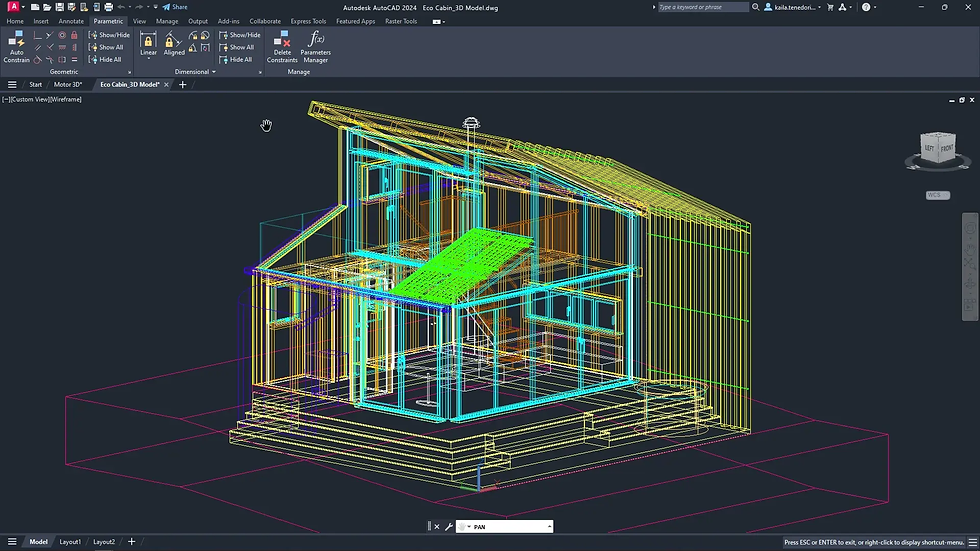
Site engineers do not usually create complex drawings, but they must read and interpret them daily. AutoCAD helps in viewing drawings, checking dimensions, and marking revisions. Understanding layers, scales, and basic editing allows site engineers to communicate effectively with design teams.
A fresher who can open drawings, extract dimensions, and explain details gains immediate practical advantage.
2. Microsoft Excel (For Quantities and Reporting)
Excel is one of the most underrated yet powerful tools for civil engineers. Site engineers use it for quantity calculations, daily progress reports, material tracking, and billing data. Basic formulas, data organization, and simple calculations significantly improve productivity.
Engineers who master Excel can handle measurement sheets and cost tracking efficiently.

3. Basic Surveying Software and Total Station Interface
Modern sites use digital surveying instruments that integrate with software for layout and data transfer. Understanding coordinate import/export and layout data helps site engineers perform accurate measurements and avoid alignment errors.
This skill is especially valuable in infrastructure and large-scale construction projects.
Software Skills for Design Engineers
1. Structural Analysis Software (ETABS, STAAD, SAFE)
Design engineers rely heavily on structural modeling software to analyze loads, deflections, and structural behavior. These tools help in designing beams, slabs, columns, and foundations according to design codes.
However, software knowledge must be supported by strong theoretical fundamentals. Blind software usage without conceptual understanding leads to incorrect designs.
2. AutoCAD and Drafting Tools
Design engineers use AutoCAD extensively for preparing structural and detailed drawings. Precision in drafting, dimensioning, and detailing is essential. Knowledge of drawing standards and layers is a critical technical skill.

3. BIM Software (Revit and Related Tools)
Building Information Modeling (BIM) is becoming increasingly important in large projects. Revit and similar tools help in 3D modeling, coordination, and clash detection. Engineers working in modern consulting firms are expected to have at least basic BIM awareness.
Software Skills for Planning and Management Roles
1. Primavera or MS Project (For Scheduling)
Planning engineers use scheduling software to track project timelines, resource allocation, and delays. Understanding Gantt charts, critical path methods, and scheduling logic is essential for project management roles.
2. Quantity Takeoff and Estimation Software
Estimation tools and quantity takeoff software help engineers calculate material requirements and project costs efficiently. These are widely used in contractor and consultancy firms.
Common Software Learning Mistakes Freshers Make
Many freshers try to learn every software at once without mastering any. Others focus only on certificates instead of practical application. Some learn design software without strong fundamentals, while others ignore Excel and basic tools assuming they are “too simple.”
Employers value applied skills more than long lists of software names on resumes.
How to Choose the Right Software Based on Career Goals
If you want to become a Site Engineer: Focus on AutoCAD, Excel, and basic surveying tools.
If you want to become a Design Engineer: Focus on ETABS, STAAD, SAFE, and AutoCAD.
If you want to enter Planning/Management: Learn Primavera, MS Project, and Excel deeply.
Choosing software based on role clarity prevents confusion and skill wastage.
Balancing Software Skills With Core Engineering Knowledge
Software is a tool, not a substitute for engineering judgment. Engineers must understand structural behavior, materials, and construction processes before relying on digital tools. Strong fundamentals combined with software proficiency create well-rounded professionals.
Conclusion
Software skills play a crucial role in shaping a civil engineer’s career, but their relevance depends on the chosen career path. Site engineers benefit most from AutoCAD and Excel, design engineers require structural analysis and drafting software, and planning engineers rely on scheduling tools. Instead of learning software randomly, students and freshers should align their digital skills with their professional goals. In modern civil engineering, the right software knowledge not only improves efficiency but also significantly enhances employability and career growth.


Comments